Cart
0
Complete Your Setup



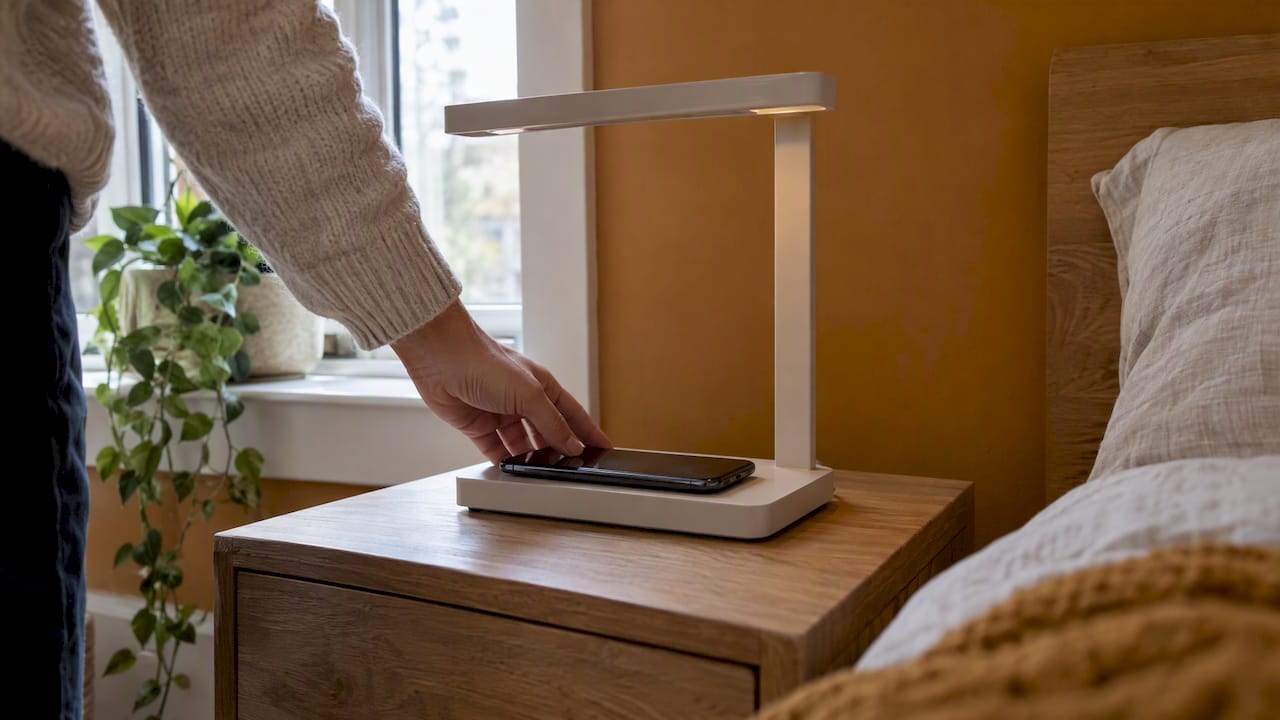
Most charging lamps work with most recent phones, but not all of them, and not at the same speed. A lamp with a wireless pad charges any phone that supports the Qi standard. A lamp with a USB port charges anything that takes the right cable. Where people get stuck is the details: the phone model, the case, the power adapter and, with some lamps, the bulb.
This guide walks through each check in the order you would do it. It also covers what to try when a compatible phone still won’t charge.
The term covers a few different products. Knowing which one you have (or want) tells you what to check.
| Type | How it charges | What decides compatibility |
|---|---|---|
| Lamp with wireless pad | Phone rests on a pad in the base | Qi support, case thickness, adapter |
| Lamp with USB port | You plug in your own cable | Cable type, port type, adapter |
| Lamp with both | Pad plus a port for a second device | All of the above |
| Lamp with a built-in battery | Charges itself, may also work as a power bank | Port type and output |
Desk and nightstand lamps with built-in wireless charging pads and USB ports are the most common kind. The pad in these lamps typically follows the Qi specification, which uses coils in the charger and the device to pass power across a small gap.
If you are still deciding whether one is worth having on your desk, our honest look at wireless charging lamps covers the trade-offs.
This is the big one. A Qi pad only charges devices built for Qi. The Wireless Power Consortium (WPC), which runs the standard, says Qi Certified devices and chargers work together across manufacturers, including products that use earlier versions of Qi. So a phone and a lamp from two different brands should pair up fine.
Three quick ways to check your phone:
Apple says iPhone 8 or later has integrated wireless charging and works with Qi-certified chargers. If you have an iPhone 7 or older, a Qi lamp pad will not charge it. Use the lamp’s USB port instead, if it has one.
Google says wireless charging is available on Pixel 3 and later, except the Pixel 3a, Pixel 4a, Pixel 4a (5G), Pixel 5a (5G) and Pixel 6a. If you own one of those, you need a wired lamp.
Most current flagship Android phones support Qi, and many mid-range ones do too. Budget models often skip it. Check the spec sheet rather than assuming. Earbud cases and smartwatches are a separate question: some lamps are built for phones only, and the maker’s listing will say so.
Compatible does not mean fast. Two things set the speed: the lamp’s pad and the phone.
Google notes that older Qi1.x chargers still work with Pixel 10 and later phones, but only at up to 5W. It adds that charging speed also depends on the charger’s output and the phone’s supported input. In other words, an older pad will charge a new phone. It just won’t charge it quickly.
For lamps, this matters in practice. A lamp pad is usually built for overnight top-ups or desk use. It keeps your phone at a healthy level while you work. If you need a fast boost before you leave the house, a dedicated fast charger is the better tool.
Newer pads add magnets to line up the coils. We explain the newer tiers, certification and wattage in our guide to Qi2 and wireless charging standards.
When you shop, look for these items on the product page:
This is the most common reason a good phone and a good lamp don’t get along.
AT&T’s guide says cases thicker than 3 to 5 mm or made of metal can disrupt wireless charging. Apple names thick, metal and battery cases, plus objects between the phone and charger, as causes of failed or slow charging.
Quick test: take the case off and put the phone on the pad. If it charges, the case is the problem.
Things that often sit between the phone and the pad:
A slim case, or a phone with nothing attached, gives you the best result.
A lamp is only as good as the power feeding it. Many “my lamp won’t charge” problems are adapter problems.
Apple says to connect the charger using its supplied or manufacturer-recommended adapter. Google says to use a power adapter compatible with the phone and a working outlet. If your lamp came with a plug, use it. If it came with a cable only, pick a quality adapter that matches the lamp’s input rating, which is printed on the lamp or in the manual.
For the lamp’s wired output, match the port to the cable you already own. The ranking guides for lamps say much the same: older rectangular USB-A ports suit most existing cables, while USB-C ports suit newer phones. Check which one your phone uses before you buy.
If you want your lamp’s USB port to charge a phone quickly, everything in the chain has to support it. The USB Implementers Forum says Certified USB Fast Chargers support the PPS feature of USB Power Delivery 3.0, and that you need PPS-compatible hosts, devices and chargers to get the full benefit. A lamp port with a basic output simply charges at a basic speed.

This one is about safety. UL Solutions warns that counterfeit power adapters, often sold at much lower prices, frequently fail safety tests and lack protections such as proper isolation. It also says a certification mark is not always proof of safety, since unscrupulous suppliers copy marks. So buy from a seller you trust, and be wary of an adapter priced far below the rest.
Some charging lamps use a standard bulb. Others, like most modern desk lamps, have a sealed LED strip. If yours takes a bulb, or you are swapping in a smart or rechargeable one, check these things.
Socket and voltage. A rechargeable or smart bulb should match your socket size and your household voltage. In the US that is standard household current. Read the bulb’s rating on the box.
Switches and dimmers. A smart bulb stays powered only if the lamp’s switch stays on. Many people leave the lamp switch on and control the bulb by app or voice. An old dimmer can make some LED bulbs flicker.
Low-voltage fixtures. The US Department of Energy found that LED replacements for MR16 lamps may not fit existing fixtures, and may flicker, strobe or shut down with low-voltage transformers or controls that have minimum-load needs. That report dates from 2008, so LED products have moved on. The lesson still holds. Because performance varies by maker, DOE suggests testing a sample in the intended fixtures before buying in bulk. For one lamp, that means buy one bulb and try it first.

If you would rather control a lamp you already own without changing its bulb, a smart plug can do it. See our guide to smart plug uses for homeowners.
| Your situation | Will it work? | What to do |
|---|---|---|
| iPhone 8 or later, Qi pad | Yes | Remove thick case, center the phone |
| iPhone 7 or earlier | Not wirelessly | Use the lamp’s USB port |
| Pixel 3 and later (not 3a, 4a, 4a 5G, 5a 5G, 6a) | Yes | Center the phone, use a good adapter |
| Pixel 6a or 5a (5G) | Not wirelessly | Use USB |
| Phone with metal or battery case | Often fails | Take the case off |
| Older Qi1.x pad with a new phone | Yes, slower | Expect up to 5W on newer Pixels |
| Earbuds or tablet on a phone-only pad | Unlikely | Check the listing |
| Smart bulb in a dimmer lamp | Maybe | Test one bulb first |
Work through this list in order. It follows Apple’s own troubleshooting advice and the Qi safety design.
If none of this works, test the phone on another Qi charger. If it fails there too, the problem is the phone. If it works elsewhere, contact the lamp’s seller.
We sell smart home gadgets, and charging lamps are one of the products people ask us about most. Here is how we think about compatibility.
First, we want simple setup. A lamp that needs a manual to work out what it supports isn’t a smart buy. The best charging lamp is the one you plug in, set the phone down on, and forget.
Second, we look at the whole chain. A lamp can be perfect and still disappoint if the adapter is weak or the case is thick. That’s why we put the cable, plug and case checks above the lamp’s wattage in this guide.
Third, we keep certification front and center. A Qi logo and a clear spec list tell you more than a glossy photo. If a lamp doesn’t say what it supports, assume less.
Fourth, we think a lamp should earn its desk space. Light, a charging spot and a tidy surface in one product is the point. If you only need the charging, a plain pad may be enough.
Smart Products. Zero Hassle.
— Tony
If you want a lamp that does both jobs, look at our Rotating Moon Desk Lamp with wireless charging or the floating balance lamp with wireless charging. For a lantern that doubles as a power bank, see the collapsible camping lantern. You can also browse everything in our Smart Home Tech collection. Before you order, run your phone through steps 1 to 3 above. It takes two minutes.
Shop Smarter, Live Better.
Any Qi-certified lamp pad should work with an iPhone 8 or later, because Apple says those phones work with Qi-certified chargers. Speed varies by pad and adapter. Check that the phone isn’t in a thick or metal case.
Look for the Qi logo, then search the product in the WPC Qi Certified Product Database. The WPC says the certificate should identify the same brand, product name and type number as the product you have. If you can’t find it, treat the claim with caution.
The usual causes are a thick case, an under-powered adapter, or an older pad. Google notes that older Qi1.x chargers charge newer Pixel phones at up to 5W. Heat can also slow charging, so keep the phone cool and centered.
Mostly yes, if the base size and voltage match, but not always. Dimmers, low-voltage fixtures and enclosed shades can cause flicker or shutdowns. Buy one bulb and test it in the lamp before you buy more.
It’s a risk. UL Solutions warns that counterfeit adapters often fail safety tests and lack key protections. Use the adapter that came with the lamp, or a recommended one from a seller you trust.