Cart
0
Complete Your Setup




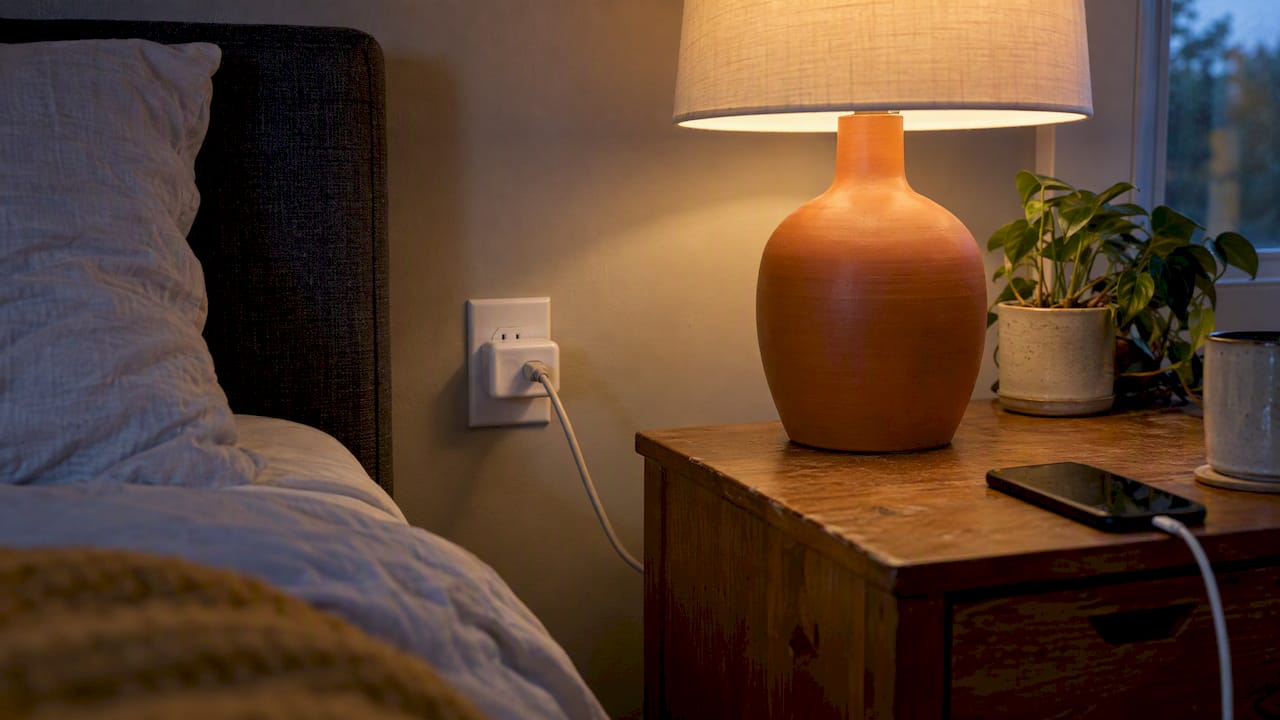
Smart plugs turn ordinary appliances into remote-controlled, schedulable devices with no rewiring needed. The highest-value uses are morning routines that wake up lamps and coffee makers, presence simulation for home security, cutting vampire-load waste, scheduling kitchen appliances, and automating outdoor or seasonal lighting. Below, we break down safety limits, energy accuracy, and buying tips so you can start smart and stay safe.
TL;DR:
- Use smart plugs for day-to-day appliances like lamps, coffee makers, and outdoor string lights, ensuring they are safe and weatherproof for outdoor use.
- Avoid plugging high-inrush or continuous-duty devices such as space heaters, refrigerators, or EV chargers, as most smart plugs cannot handle their power demands safely.
- Rely on energy monitoring for tracking relative device usage and vampire load reduction, but do not depend on them for precise billing data.
- Confirm your smart plug’s compatibility with your Wi-Fi band, voice assistant, and, if outdoor, proper weatherproof ratings before setup.
- Start automating with a few high-traffic appliances and expand gradually, verifying automation accuracy with a handheld meter when needed.
Smart plugs work best when you match the use case to the goal you actually care about. Some homeowners want convenience, some want lower energy bills, and some want a home that looks occupied while they are away. Here is how the ideas break down by category.
Convenience routines make mornings and daily chores easier without any extra thought. A lamp on a schedule can turn on before your alarm, so you are not fumbling in the dark. A coffee maker plugged into a smart plug and left in the “on” position can start brewing on a timer, since it just needs power restored to begin its cycle. Phone chargers can be scheduled to cut power once a device is full, and pet feeders can get backup power control for consistent feeding times.
Energy-focused uses target the small drains that add up over a month. Game consoles, TVs, and chargers pull power even when idle, and a smart plug on a schedule can eliminate that waste during sleeping hours or workdays. Setting a plug to cut power to a media console overnight, or to a space heater you forgot to monitor, trims the easy losses without you lifting a finger.
Security applications use smart plugs to simulate a lived-in home. Lights on a randomized schedule look more convincing than a single lamp that clicks on at the same minute every night. Porch lights timed to dusk and dawn add a layer of safety for anyone arriving home after dark, and reviewers at CNET point to timed lighting and remote control as some of the easiest wins for everyday homeowners.
Kitchen uses fit appliances with simple on and off behavior. Slow cookers, under-cabinet lighting, and some toaster ovens can be scheduled safely as long as the appliance does not require a button press to resume operation. This matters more than most people expect: Wired notes that devices needing front-panel input often will not restart just because power returns, so a smart plug works best with appliances you can leave switched on.
Outdoor and seasonal setups stretch smart plugs to string lights, inflatables, and holiday displays. These need a weatherproof, outdoor-rated plug rather than an indoor model pushed outside.
Fun and novelty uses round out the list. Synced lighting scenes for movie nights, holiday light sequences, and other novelty devices give smart plugs a playful side beyond pure function.
Pro Tip: Start with one high-traffic room, like your living room or kitchen, before expanding to the rest of the house. It is easier to troubleshoot one plug than ten.
Not every appliance belongs on a smart plug, and getting this wrong risks real damage. Devices with high inrush current or continuous-duty demands, like space heaters, window air conditioners, refrigerators, ovens, and EV chargers, should stay off standard smart plugs. These appliances draw far more power at startup than their running wattage suggests, and most smart plugs are not rated to handle that safely or repeatedly.

Outdoor use adds another layer of care. A plug needs a clear weatherproof or IP rating before it goes anywhere near rain, sprinklers, or snow, and the Electrical Safety Foundation International recommends GFCI protection for any outdoor or damp-location outlet.
Before plugging anything in, run through this quick check:
A short safety checklist worth repeating to yourself: never hide a plug behind furniture where overheating could go unnoticed, and never stack a smart plug with other heavy loads on one circuit.
Smart plugs earn their keep by cutting standby and vampire loads, the trickle of power that chargers, TVs, and consoles draw even when idle. Scheduling these devices off overnight or during work hours is one of the most reliable ways a smart plug pays for itself, especially in rooms with several always-plugged electronics.
Energy monitoring from a smart plug has real limits. Testing from Energy found that residential smart plugs vary widely in which power parameters they report, and many do not provide reliable cumulative energy tracking. Accuracy depends heavily on the specific model and the conditions under which it is tested, so two plugs from different brands can report the same device differently.
Standby power itself is small enough that a plug’s own internal consumption can mask it. Industry standards like IEC 62301 exist specifically because measuring tiny standby loads accurately takes careful lab conditions, not a consumer app reading.
Residential smart-plug reporting is inconsistent across brands and test conditions, according to PNNL testing for energy.gov. That means a plug’s dashboard is useful for spotting trends, but not for billing-level precision.
Getting a smart plug running takes a few minutes if you check the basics first. Most plugs need a 2.4 GHz Wi-Fi network, not 5 GHz, so confirm which band your router broadcasts before pairing.
From there, routines get more useful. A morning routine might turn on a lamp and start a coffee maker five minutes before your alarm. An away routine might randomize a few lights between 6 PM and 10 PM while you are out of town.
Voice assistant integration usually means linking your smart plug’s app account inside the Alexa or Google Home app. AARP’s guidance recommends checking for Matter compatibility and confirming whether a plug needs a separate hub, since Zigbee and Z-Wave devices require one while Wi-Fi plugs typically do not.
If you are managing a handful of plugs in one room, Wi-Fi models are simpler. If you are building a larger system with dozens of devices, a hub-based Zigbee, Z-Wave, or Thread setup tends to perform more reliably and puts less strain on your router. For a full walkthrough, this guide on smart plug scheduling covers building routines in under two minutes.
Pro Tip: Name each plug by its location and function, like “Kitchen Coffee Maker,” instead of a generic label. It saves confusion once you have more than three or four running.
Once you are comfortable with basic schedules, power monitoring opens up automations that react to what your appliances are actually doing. A classic example, covered by How-To Geek, uses a power-drop trigger to detect when a washer or dryer cycle ends and sends a phone notification, replacing the habit of guessing when the load is done.
For entertainment centers or home offices with several components, a single smart plug per device gets unwieldy fast. Laboratory testing of advanced power strips found that master/slave and current-sensing strategies handle these clusters well, automatically cutting power to speakers or a monitor once a TV powers down. For a cluster of devices, an advanced power strip is often the better tool over a pile of individual smart plugs.
Load-shifting is another intermediate move: staggering EV charger schedules or running a dishwasher overnight to avoid peak demand hours. Whatever automation you build, verify it with a handheld meter or known consumption profile first, since reporting accuracy varies by device.
Picking a smart plug comes down to matching features to your actual goal, not chasing every available option. Start with the physical form factor: mini plugs are compact but can block an adjacent outlet, while full-size plugs take more space but keep neighboring sockets free. ZDNet’s coverage highlights this trade-off along with the value of energy-monitoring mini plugs for anyone who wants usage insight without bulk.
Feature priorities depend on where the plug is going. Indoor convenience plugs rarely need more than scheduling and voice support. Outdoor plugs need a weatherproof rating, full stop. If you are running several devices in one spot, a smart power strip with individually controlled outlets may fit better than a row of single plugs. For a deeper look at how plugs compare with smart switches and bulbs, The Connected Dwelling breaks down when each approach makes more sense.
| Goal | Best fit | Key feature to check |
|---|---|---|
| Convenience scheduling | Standard indoor plug | App scheduling, voice support |
| Energy insight | Energy-monitoring plug | Reporting consistency |
| Outdoor decor | Weatherproof plug | IP or weatherproof rating |
| Multiple AV devices | Advanced power strip | Master/slave outlets |
This ecommerce brand is built around smart home gadgets that simplify everyday life, from cleaning tools to kitchen tech. The focus is on products that are easy to set up and genuinely useful, not gadgets that sit in a drawer. If you want a faster path to building smart plug routines, a guide on smart plug scheduling walks through setting schedules in under two minutes, which pairs well with the automation ideas covered above.
For most homes, three uses do the heavy lifting: scheduled lighting for security, vampire-load cutoffs for energy savings, and morning routines for convenience. Start with one plug, confirm it works as expected, then expand.
— Tony
Smart plugs handle the outlets. Sabezon fills in the rest of the room with practical gadgets that solve everyday problems without a complicated setup. Our collections cover smart cleaning tools, smart kitchen gadgets, and smart home tech designed for simple, reliable use from the first day.
If a smart plug got you thinking about what else could run on autopilot, our smart home tech collection is a natural next stop, alongside tools for the kitchen and cleaning routines that eat up the most time.
Browse the full lineup on our collections page and find the next gadget that earns a permanent spot in your routine.
Space heaters, window air conditioners, refrigerators, ovens, and EV chargers should not go on standard smart plugs because of their inrush current and continuous-duty demands. These appliances can draw far more power than a typical smart plug is rated to handle safely.
Smart plugs do not reliably restart appliances that need a button press or front-panel input, since Wired’s reporting notes these devices often will not resume operation just because power returns. Energy reporting also varies by model, since PNNL testing found inconsistent accuracy across residential devices.
A smart plug itself draws a very small amount of standby power, but used correctly it typically lowers your bill by cutting vampire loads from idle electronics. The net effect depends on how many devices you schedule off and how much standby power they were drawing before.
Good candidates are devices with simple on and off behavior, like lamps, coffee makers you leave switched on, slow cookers, and string lights. Appliances with digital displays or buttons that need to be pressed to restart are usually a poor fit.