Cart
0
Complete Your Setup





For most pet owners, prioritize clear live video, reliable two-way audio, smart pet detection and alerts, sensible recording options, and strong device security. These five features cover the real jobs a pet camera does: watching, talking, alerting, remembering, and protecting your footage. Matching them to your pet’s specific habits comes down to a simple three-step process, covered later in this guide.
TL;DR:
- Cameras with 1080p or higher resolution ensure clear live video, especially important for monitoring pets in different rooms or from a distance.
- Two-way audio with low latency is crucial for soothing anxious pets and reinforcing positive behavior during separation.
- AI pet detection and activity zones help reduce false alerts caused by environmental factors like curtains or reflections, improving notification accuracy.
- Combining local storage with cloud subscriptions allows flexible footage access, but check what features are free and what require extra payment upfront.
- Security practices such as two-factor authentication, regular firmware updates, and strong passwords are essential to protect your home footage from breaches.
Not every feature matters equally to every pet owner. Here’s a quick rundown of what to prioritize and why, with trade-offs flagged along the way.
Resolution numbers on a box don’t tell the whole story, but they’re a reasonable starting point. A 1080p camera gives you a usable, clear picture for everyday monitoring, letting you see whether your dog is pacing or resting calmly. Step up to 2K and you get noticeably sharper detail, which matters if you plan to zoom in digitally to check on a cat in a far corner of the room or read your dog’s body language from across the house.
Field of view decides how much of a room you actually see. A narrow lens covers a doorway well but misses the couch ten feet away. A wide-angle lens, typically 130 to 160 degrees, covers more of an open floor plan with one unit. This is where pan, tilt, and zoom cameras earn their keep: instead of buying two or three fixed cameras for a living room, a single PTZ model can rotate to follow your pet as they move from the window to the food bowl. For small apartments or studios, one PTZ camera usually beats multiple fixed cameras on both cost and clutter. For larger homes with multiple pet zones (a dog bed in the living room, a litter box in the laundry room) separate fixed cameras in each spot tend to work better than relying on one camera to swivel between rooms.
Night vision is where real differences show up. Traditional infrared night vision renders a grainy black-and-white image, which is functional but makes it harder to judge your pet’s expression or coat condition. Color night vision, now common on mid-range and premium models, uses added illumination to keep the picture in natural color even in low light, giving you a much clearer read on a nervous cat’s body posture or a dog’s alertness at 2 a.m.
Whatever camera you choose, test it during setup rather than assuming it will perform as advertised. Walk to the farthest corner of the room your pet uses most and confirm the picture stays clear. Check the image from a low angle, since most pets are closer to the floor than the camera. If you’re relying on motion tracking or PTZ, watch how smoothly it follows a moving pet rather than lagging a few seconds behind.
Two-way audio turns a camera from a passive observer into an active comfort tool. You speak into the app, and the camera’s speaker plays your voice at home. The best models keep latency low enough that your pet associates the voice with you in real time rather than hearing a delayed, disconnected sound. According to AKC expert guidance, two-way talk and remote treat dispensing can reinforce positive behavior, particularly for dogs working through separation anxiety, though severe cases still call for a veterinarian’s input alongside any camera-based tool.
Treat dispensers add a physical reward to that voice command. Scheduling a small treat drop at the same time each day can help a dog build a predictable, calming routine while you’re away. Keep portion sizes modest and check your pet’s daily caloric intake if you use the dispenser often. These rewards add up, and a camera’s treat chute isn’t a dosing instrument, so treat it as a training reinforcement, not a feeding method.
Laser pointers and automated play features show up mostly on cat-focused cameras, and they genuinely work for burning off a bored indoor cat’s energy. The caution here is real: some cats develop obsessive chasing behavior when a laser is used too often, since the light never gives them a tangible “catch.” Rotate laser play with physical toys and limit automated sessions to short bursts.
For separation-anxiety support specifically, the AKC notes that reliable two-way audio with minimal lag, scheduled treat dispensing, and a continuous event timeline (to see exactly how long before unwanted behavior starts) are the three features that make the biggest practical difference, more so than flashy extras.
Detection technology ranges from basic motion sensing to more refined pet or animal recognition. Basic motion detection flags any movement in frame, which is useful but noisy. Sound detection (barking, for example) can catch things motion misses, like a dog barking at something outside the camera’s view. The more advanced tier, pet or animal-specific recognition, tries to distinguish your pet from a shadow, a curtain, or a passing reflection.
False alerts are the most common complaint with motion-based cameras. Consumer Reports testing finds that predictable environmental factors, like curtain movement, heating vents, and reflections, trigger a large share of false positives, and that setting up activity zones along with adjusting sensitivity reduces alert noise more effectively than relying on AI filtering alone. In practice, that means drawing a detection zone around the areas your pet actually uses (the bed, the food area) rather than the whole room, including windows or doors where outside movement causes false triggers.
AI pet detection can reasonably tell you “a dog is in frame” or “barking detected,” but it shouldn’t be trusted to diagnose distress, illness, or specific behaviors with precision. Treat it as a filter that reduces noise, not a behavioral diagnosis tool. When setting priorities, separate safety-critical alerts (a pet near a hazard, unusual prolonged inactivity) from routine behavior notifications, and set the former to push notifications immediately while the latter can wait for a daily summary.

Cloud storage keeps your footage on a remote server, accessible from anywhere, and it’s usually tied to a monthly subscription. Local storage, typically a microSD card or a connected hard drive, keeps footage in your home and avoids recurring fees, but it’s only as safe as the physical device itself and won’t survive if the camera is stolen or damaged.
Subscription tiers typically unlock different capabilities. Consumer Reports’ model-level testing shows that features like person or animal detection, activity zones, and extended recording history are often split between free and paid tiers, meaning a camera that looks fully featured in a product listing may need a subscription to deliver reliable event history or multi-camera timelines. Before buying, check exactly what’s free versus what requires a monthly plan.
For most households, a practical approach is to keep a rolling local recording for everyday peace of mind and reserve cloud clips for specific flagged events, like barking or motion in a restricted zone. If you’re reviewing footage for a specific incident (new destructive behavior, a suspected health issue) download and save that clip immediately, since most plans only retain cloud footage for a limited window before overwriting it. Weigh a one-time local storage cost against the ongoing cost of a cloud plan based on how often you expect to need historical footage; if you mostly want live viewing with occasional alerts, local storage alone may cover your needs.
A pet camera sits on your home network and records your living space, so security deserves the same scrutiny you’d give a doorbell camera. Consumer Reports’ home security camera testing finds that security practices vary significantly from model to model, even within the same brand, and recommends checking two-factor authentication, automatic firmware updates, and password requirements before purchase rather than assuming a trusted brand name guarantees good practices.
Read the privacy policy for red flags: vague language about “sharing data with partners,” no clear data retention timeline, or no stated encryption standard are all signs to look elsewhere. A camera that stores video with weak or no encryption, or one with no documented update schedule, leaves your home footage more exposed than it needs to be.
A few practical hardening steps go a long way. Put your camera on a guest Wi-Fi network separate from your main devices, so a compromised camera can’t reach your computer or phone. Disable cloud features you don’t use, like public link sharing. Change the default password immediately and enable two-factor authentication if it’s offered. Keep firmware updated, since most security patches come through those updates rather than a new device purchase.

Independent testing matters here because manufacturer claims about security are rarely verified by the manufacturer itself. Checking a model’s standing with an organization like Consumer Reports, rather than relying on marketing copy, gives you a more honest picture of how a specific camera actually performs on security, not just features.
Picking a pet camera gets much easier once you define what job you actually need it to do.
Three buying red flags are worth watching for. First, any camera with no clear security documentation, no 2FA, and no update history. Second, hidden subscription costs where basic features like event history are locked behind a paywall not disclosed on the product page. Third, poor multi-user app sharing, which matters if more than one person in your household needs to check in on the pet.
Pro Tip: If your camera purchase includes a return window, test the exact features that mattered most in your buying decision (night vision clarity, alert accuracy, audio latency) within the first week, while you can still send it back.
Camera placement affects performance as much as the specs do. Mount cameras at a height that captures your pet’s full body, usually chest height for most rooms, angled slightly downward rather than straight across. Living rooms and kitchens benefit from a corner placement that covers the widest area, while a camera watching a crate or bed should sit close enough to pick up both video and sound clearly.
Connectivity issues are usually a Wi-Fi problem, not a camera defect. Most pet cameras run better on a 2.4GHz network for range, even though 5GHz offers faster speeds at shorter distances. If your camera sits far from the router, a Wi-Fi extender often solves dropped connections before you consider replacing the unit.
Power source changes how you use the camera day to day. A plugged-in camera gives continuous monitoring, while a battery-powered model is more flexible to place but typically only records in short clips triggered by motion rather than offering a live, always-on feed.
For common issues: audio echo usually means the microphone and speaker are too close together physically, grainy night video often points to a dirty lens or insufficient infrared range for the room size, and missed events are frequently a sensitivity or activity-zone setting that needs adjusting rather than a hardware failure.
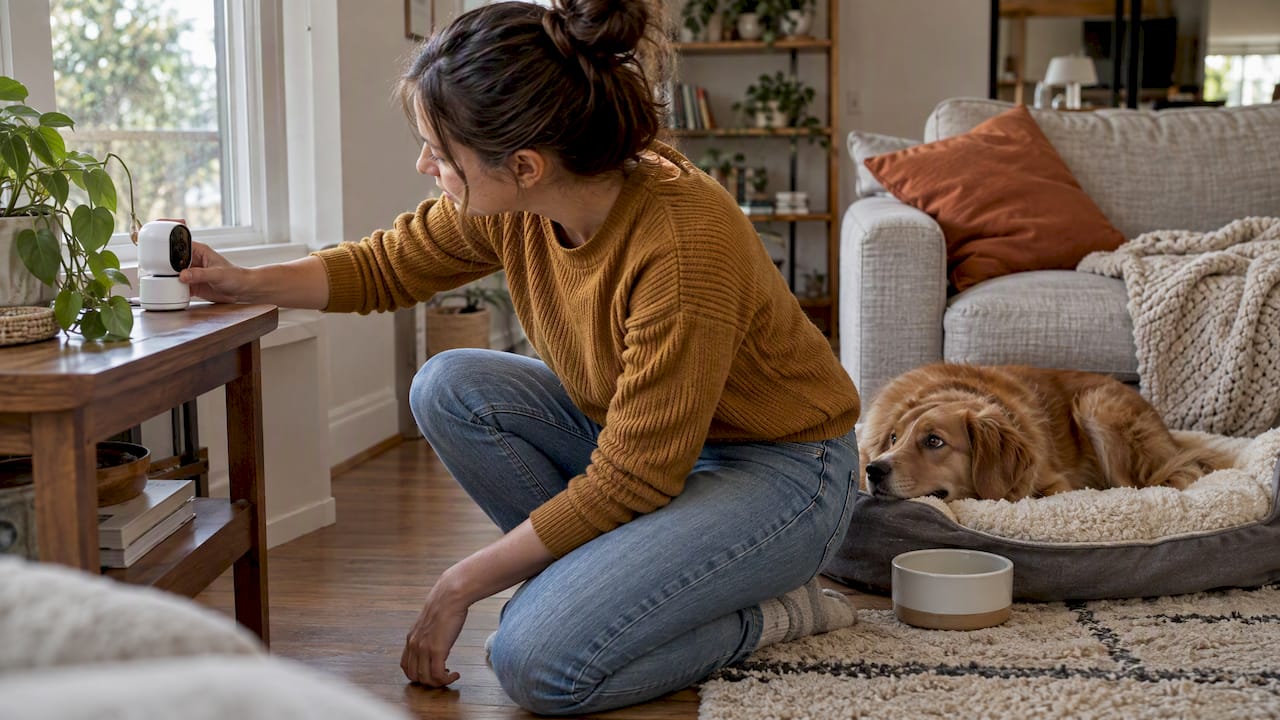
We built our approach around the features that matter most in real homes: clear video, responsive two-way audio, and straightforward setup without a steep learning curve. The Watchly™ Smart Pet Camera reflects that thinking, giving pet owners a direct, easy-to-use option to evaluate alongside anything else on your shortlist.
Once your camera is running, the next step is turning footage into something useful. Our guide on turning pet camera footage into a training plan walks through quick ways to spot patterns in your pet’s behavior. If privacy and recording laws are a concern in your home setup, our piece on home camera privacy practices covers the basics worth knowing before you start recording indoors.
We don’t publish internal lab test scores for every spec, so where a claim isn’t backed by our own documentation, we point you to the independent sources used throughout this guide instead.
When I evaluate a pet camera, reliability beats flash every time. A camera that stays connected, holds a charge as advertised, and lets every family member log in without a hassle matters more than a long spec sheet. I also weigh how honestly a brand documents security, since that’s where corners get cut quietly.
One safety note worth repeating: a pet camera is a monitoring tool, not a medical device. If you notice signs of real distress or illness on camera, that’s a reason to call your vet, not just adjust a setting.
— Tony
Smart Products. Zero Hassle. That’s the standard we hold our own gadgets to, including the camera we built for pet owners who want something reliable without a complicated setup process.

If you’re ready to see it for yourself, check out the Watchly™ Smart Pet Camera and browse our full Smart Home Tech collection for other devices that make daily routines easier. For broader guidance on fitting a camera into a connected household, The Connected Dwelling offers useful background on smart home integration.
Not always. Many run on motion or sound triggers that start a clip only when activity is detected, while continuously powered models can offer an always-on live feed. Check the specific camera’s power source and recording mode, since this affects both battery life and how much footage you’ll have to review.
Most pet camera apps, including feature sets common across the category, show an indicator light or app notification when the camera is actively streaming live video. Reviewing your account’s login history and enabling two-factor authentication are the most reliable ways to confirm who has access to your feed.
A pet camera connects to your home Wi-Fi and streams live video to an app on your phone, often paired with motion or sound detection that triggers alerts. Many models add two-way audio, letting you talk to your pet remotely, and some include treat dispensers or interactive features for added engagement.
Yes, remote access is a standard feature on nearly all pet cameras, letting you view live video and sometimes trigger a treat dispenser or play audio from anywhere with an internet connection. Multi-user access, which lets more than one household member log in, varies by model and is worth checking if several people need to check in on your pet.