Cart
0
Complete Your Setup



Yes, some robot vacuums pose a real privacy risk, and the danger depends entirely on which sensors and cloud habits your model uses. The riskiest combination is a camera-equipped robot with weak cloud authentication and vague data retention policies. Models that rely on LiDAR or time-of-flight sensors instead of cameras carry a much smaller privacy footprint, since they cannot capture recognizable images of your home or family.
The highest-risk data types are camera footage and stored home maps, followed by voice snippets, device logs, and Wi-Fi credentials sitting on the device itself. A stolen certificate or a Bluetooth exploit can turn any of these into a live feed of your living room.
Two things you can do today: turn off any remote live-view or camera-streaming feature you do not actually use, and put your vacuum on a guest Wi-Fi network separate from your laptops and file storage.
Pro Tip: If your vacuum app offers a “live view” or “look around” feature, disable it in settings even if you never plan to use it. An unused feature is still a working attack surface.
Robot vacuum privacy risk depends primarily on sensor type, cloud architecture, and network isolation, not on brand reputation alone.
| Point | Details |
|---|---|
| Sensor type sets the ceiling | LiDAR and ToF sensors carry far less privacy risk than RGB cameras, which capture identifiable imagery. |
| Cloud flaws are the real attack path | Documented incidents involved stolen certificates and Bluetooth exploits, not policy-reading failures. |
| Network isolation is your best defense | Placing the vacuum on a guest Wi-Fi network limits damage even if the device itself is compromised. |
| Legal rights vary by region | GDPR gives EU residents deletion rights; CCPA gives similar rights to California residents, but coverage elsewhere is inconsistent. |
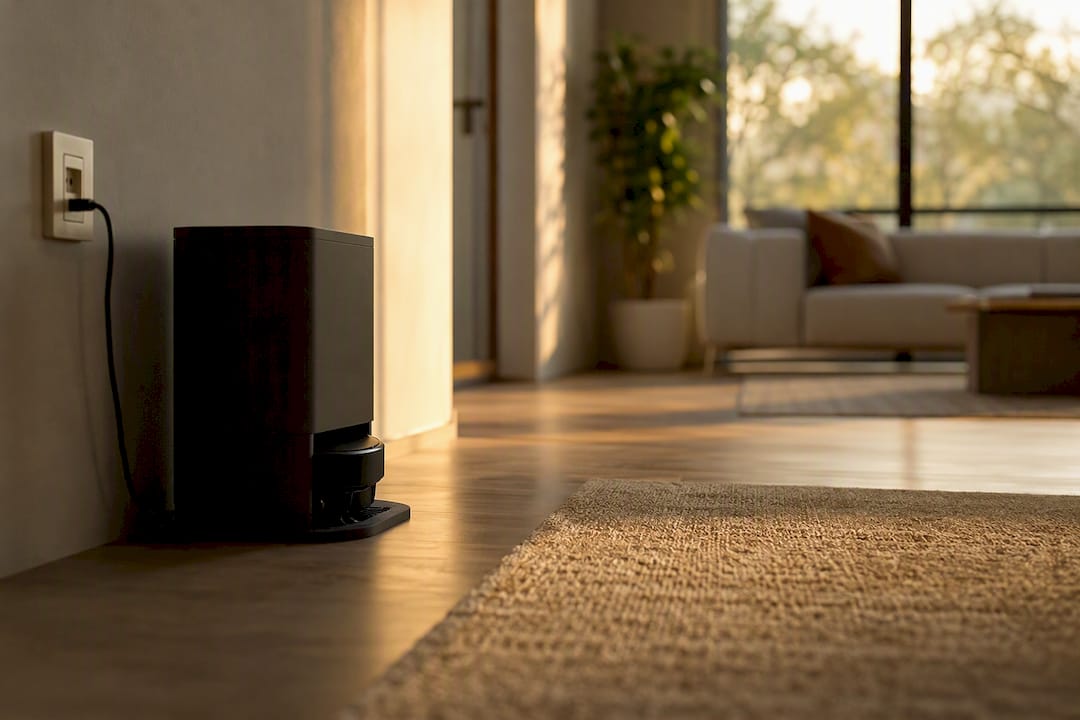
| Sabezon prioritizes non-imaging navigation | The FloorPilot™ Smart Robot Vacuum uses LiDAR mapping instead of camera-based navigation to reduce data exposure. |
A robot vacuum generates far more data than the dust it picks up. Understanding each category helps you judge which model actually respects robot vacuum privacy and which one just claims to.
Home mapping is the most universal data type. Every robot vacuum with real navigation, from budget models to premium ones, builds a 2D or 3D map of your home to clean efficiently. That map reveals your floor plan, furniture placement, and often patterns of when rooms are occupied versus empty, since the robot cleans on a schedule tied to your habits.
Camera-equipped models capture something more sensitive: obstacle photos. Many vacuums with “AI obstacle avoidance” snap images when they encounter shoes, cables, pet toys, or people, and some apps let you browse these photos directly. Retention varies widely by brand, and a photo you delete from the app does not always disappear from the manufacturer’s servers, according to one investigation into product-improvement programs that collect photos and audio to train AI.
Audio capture is less common but real. Some models include microphones for voice commands or two-way communication through the companion app, and those microphones can be active during cleaning cycles, not just when summoned.
Then there’s the quiet stuff: device logs, timestamps, firmware version data, and Wi-Fi network credentials stored locally so the robot can reconnect after a power outage. This telemetry rarely gets attention, but it’s exactly what attackers go after when they want persistent access rather than a single photo.
Consumer Reports’ Digital Lab tested vacuums against more than 70 separate privacy and security indicators and found that while many models handle encryption reasonably well, almost none scored well on data privacy transparency. Good security and good privacy are not the same thing, and a device can excel at one while failing the other.
Not every sensor on a robot vacuum works the same way, and the difference matters enormously for robot vacuum camera privacy specifically. LiDAR spins a laser to measure distances and build a point-cloud map. Time-of-flight (ToF) sensors do something similar with infrared light. Structured-light sensors project a pattern and measure its distortion. None of these produce a recognizable image of your living room. They record distance and shape, not faces or wallpaper patterns.
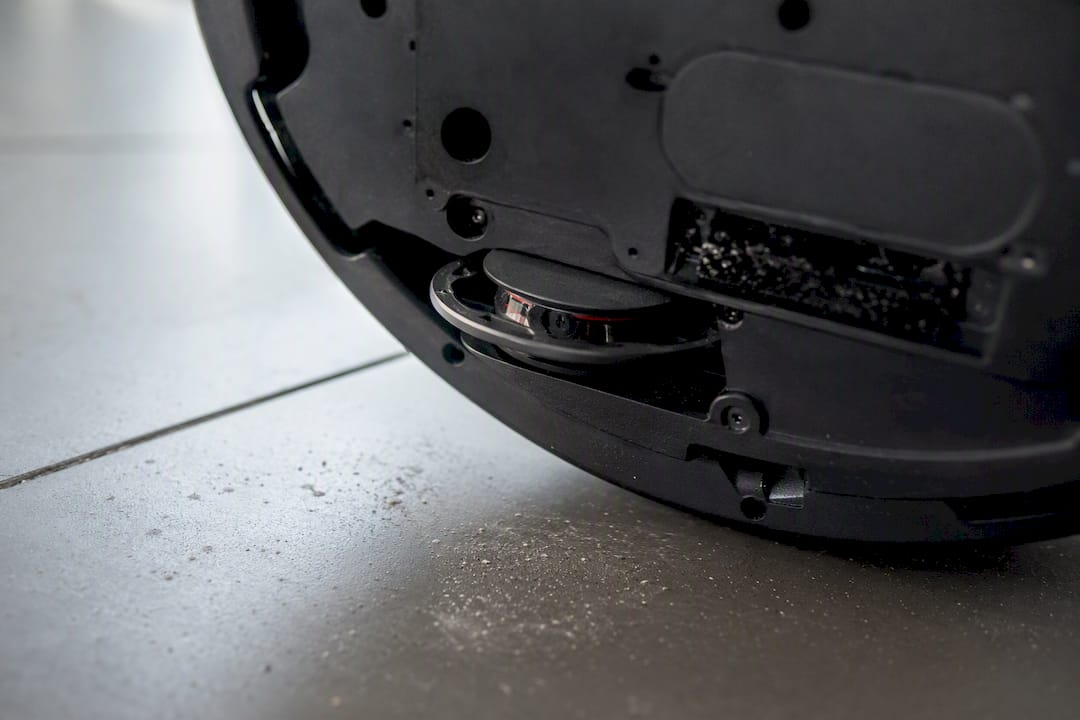
An RGB camera is a different animal entirely. It captures full-color images, the kind that show your face, your kids’ faces, or a stack of mail with your address on it. Experts who study these devices draw a clear line here: LiDAR and ToF sensors provide navigation without producing identifiable imagery, while cameras with remote-view features create a persistent, much larger privacy footprint.
Where that image gets processed matters just as much as whether it’s captured. On-device processing means the photo or map is analyzed locally and often discarded. Cloud processing means it travels to a manufacturer’s server, where it may be stored, reviewed, or repurposed for training future AI features. Product documentation and reporting show a real spectrum here: some vacuums process obstacle recognition entirely on-device, while others route everything through the cloud by default.
Marketing terms make this harder to spot. “AI obstacle avoidance” sounds identical whether it’s powered by a harmless ToF sensor or a camera streaming to a remote server. Don’t take the phrase at face value.
Pro Tip: Search the product manual or FAQ page for the words “camera,” “cloud,” and “retention” before you buy. If none of those words appear, that’s a red flag, not reassurance.
Robot vacuum security failures aren’t theoretical. Several documented cases show exactly how attackers turn a cleaning device into a surveillance tool.
The attack chain usually follows a pattern: extract or steal a certificate, or exploit a nearby Bluetooth connection, then gain remote access, then pull camera feeds, stored maps, or Wi-Fi credentials. Once an attacker has your home Wi-Fi password, they aren’t limited to your vacuum. That credential can open a path to your laptop, your NAS drive, or any other device on the same network.
Insecure cloud-side policies and weak device authentication remain the primary privacy threats in this category. Convenience features, like instant remote access from any location, routinely take priority over strict per-device isolation.
What these incidents reveal collectively is uneven patch cadence and inconsistent transparency across the industry. Some vendors closed reported flaws within weeks; others left them unpatched for months after disclosure. That gap between vendors is often a better predictor of your actual risk than any single spec sheet.
Not every vendor response is equal, and telling meaningful action from marketing language is the whole game for evaluating robot vacuum data collection practices before you buy.
Meaningful vendor behaviors look like this: processing obstacle images on-device rather than in the cloud, making product-improvement data collection strictly opt-in rather than default-on, publishing a clear retention window with an actual delete guarantee, including a physical camera indicator light, and maintaining a documented patch history you can actually read.
On the security side, look for a public bug-bounty or vulnerability disclosure program, mandatory two-factor authentication on the account, and evidence of limited internal employee access to customer camera feeds or maps. Consumer Reports’ testing found that many vacuum makers apply reasonable encryption and password rules, yet still fall short on the transparency piece, meaning the security engineering can be solid while the privacy disclosures stay vague.
Industry standards help set a floor, though none of them guarantee a perfect product. The ioXt Pledge asks manufacturers to commit to secure defaults and ongoing updateability. ETSI EN 303 645 lays out baseline IoT security requirements adopted across parts of the connected-device industry. Consumer Reports’ own Digital Standard evaluates privacy practices using dozens of specific indicators rather than a single checkbox. Certification against any of these is a genuinely useful signal, but reported vulnerabilities in certified products show it isn’t a full guarantee.
Read the actual support page before you trust a marketing claim. Toggles buried three menus deep, set to “on” by default, are common enough that checking manually is worth the five minutes.
Treat this as a sequence, not a menu. Each stage closes a different gap.
Pro Tip: A stolen device credential is only dangerous if it can reach other things on your network. Segmenting the vacuum onto its own guest network turns a serious breach into an isolated inconvenience.
Sabezon designs smart-home devices, including robot vacuums, cleaning robots, and connected cameras, with the same scrutiny this article asks of every manufacturer: know what your device collects and why.
Legal protections around robot vacuum data collection vary sharply depending on where you live, and knowing which framework applies to you changes what you can actually demand from a manufacturer.
If you’re in the European Union, the General Data Protection Regulation (GDPR) treats home maps, images, and voice recordings tied to an identifiable person as personal data. That gives EU residents the right to request a copy of what’s stored, demand deletion, and object to processing for purposes like AI training unless they’ve explicitly consented.
In the United States, protection is far less uniform. The California Consumer Privacy Act (CCPA), and its expansion under the California Privacy Rights Act, gives California residents the right to know what personal data a company collects, request deletion, and opt out of having that data sold or shared. Residents of most other states currently have no equivalent statutory right specific to smart-home device data, though a handful of states have passed similar comprehensive privacy laws in recent years.
This patchwork matters practically: a manufacturer’s privacy policy might promise deletion rights to European or California customers while offering no such mechanism to a customer in a state without comprehensive privacy legislation. Reading the “your rights” section of a privacy policy, and checking whether it’s scoped to specific regions, tells you more about your actual leverage than any marketing page ever will.
Privacy policies across the robot vacuum industry read similarly on the surface and diverge sharply in the details that matter.
Nearly every manufacturer’s policy includes boilerplate language about collecting “usage data to improve our products.” The meaningful differences show up in three places: whether image and audio collection is opt-in or opt-out by default, how specifically the retention period is stated, and whether the policy names third parties the data might be shared with.
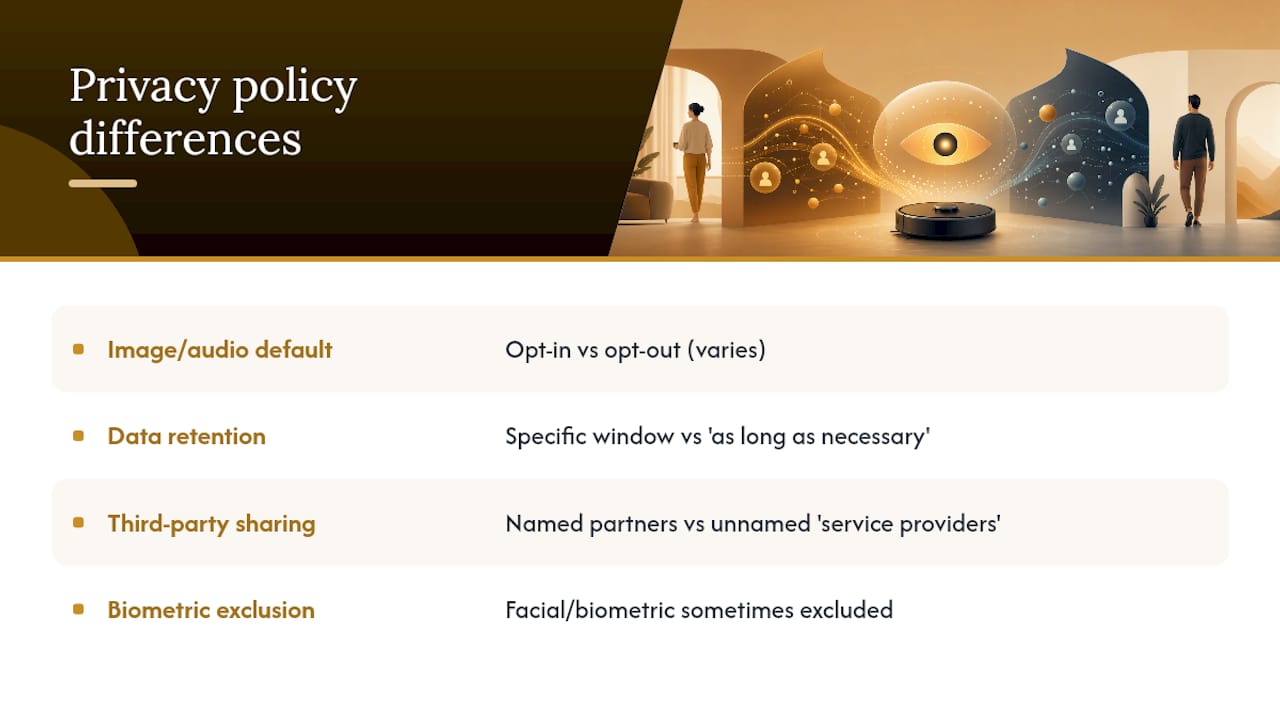
Some brands state a specific retention window and a real deletion process; others use vague phrasing like “as long as necessary for business purposes,” which commits to nothing. Reporting on product-improvement programs has shown that policies allowing photo and audio collection for AI training don’t always guarantee that deleted content is actually removed from company servers, a gap that shows up in the fine print more than the marketing copy.
The practical move is comparing three specific clauses side by side before you buy: the data retention period, whether biometric or facial data is explicitly excluded, and whether the policy allows sharing with unnamed “service providers” or “partners.” A policy that names its data-sharing partners specifically deserves more trust than one that doesn’t.
Every privacy-reducing feature on a robot vacuum exists because it makes the device genuinely more useful, and that trade-off is worth naming honestly rather than treating every data point as pure overreach.
A camera helps a vacuum avoid pet accidents and phone chargers instead of grinding through them. Cloud processing lets a budget device offload heavy AI computation instead of requiring an expensive onboard chip. Remote live-view lets you check on a pet while you’re at work. None of these are frivolous. They’re genuine functionality upgrades.
The privacy cost is that each feature widens what leaves your home and how long it might persist somewhere you don’t control. A LiDAR-only vacuum without any camera or cloud connection gives up obstacle recognition sophistication and remote monitoring in exchange for a data footprint that’s nearly impossible to weaponize against you. A camera-equipped, cloud-connected model gives up that safety margin for smarter navigation and remote peace of mind.
There’s no universally correct answer here, only a decision that matches your own risk tolerance. A household with no smart-home aversion and strong network hygiene might reasonably accept a camera-equipped model with cloud processing. A household prioritizing robot vacuum privacy above all else should lean toward LiDAR or ToF navigation with no camera at all, accepting slightly less obstacle intelligence in exchange for a much smaller attack surface.
The conventional advice on this topic, “read the privacy policy,” is technically correct and practically useless. Privacy policies are written to satisfy lawyers, not to inform buyers, and the incidents covered here didn’t happen because someone skipped a paragraph of legal text. They happened because of cloud architecture flaws and default settings nobody bothered to change.
What actually reduces risk is boring and mechanical: sensor type, network isolation, and update discipline. A LiDAR-only vacuum on a guest network with current firmware is safer than a camera-equipped flagship on your main network with auto-updates disabled, regardless of which brand name is on the box.
The industry’s real problem isn’t malicious intent. It’s that convenience features get built and shipped faster than the security review that should accompany them. Consumer Reports’ testing backs this up: encryption and password practices are often fine, while transparency about what happens to your data lags behind. Prioritize the sensor and the network setup first. Read the policy second, mainly to check the retention window.
Sabezon designs its smart-home lineup around the same principle this article just walked through: you shouldn’t have to choose between a genuinely smart robot vacuum and one that respects your home’s privacy. Sabezon’s FloorPilot™ Smart Robot Vacuum uses LiDAR navigation rather than a camera-dependent system, giving you accurate mapping and obstacle handling without the larger data footprint that comes with RGB imaging.
If you’re shopping with robot vacuum privacy concerns in mind, that sensor choice alone eliminates the riskiest category this article covers: recognizable imagery leaving your home. Pair it with the network isolation steps above, a guest Wi-Fi network and a unique account password, and you’ve addressed the two biggest risk factors before the box is even opened. Browse the full smart cleaning lineup or visit Sabezon’s homepage to compare models and find the setup that fits your home.
Are robot vacuums safe to use in a home with children or elderly relatives? Most models are safe from a physical-safety standpoint, but camera-equipped units raise real robot vacuum surveillance concerns if remote-view features stay enabled by default. Disabling live view and choosing a LiDAR-only model removes most of that risk.
Can a robot vacuum be hacked remotely? Yes. Documented cases show attackers exploiting cloud policy flaws and Bluetooth vulnerabilities to gain remote access to cameras, microphones, and stored maps, which is why network isolation and prompt firmware updates matter.
Do all robot vacuums send data to the cloud? No. Some process obstacle images and mapping entirely on-device, while others route data through cloud servers by default. Checking the product documentation for “on-device processing” language tells you which category a model falls into.
What privacy settings should I check first on a new robot vacuum? Look for toggles controlling live camera view, obstacle photo storage, voice data collection, and product-improvement data sharing. Disable anything you don’t actively use, and enable two-factor authentication on the account.
Does turning off Wi-Fi solve robot vacuum tracking issues? It eliminates most remote risk, but you’ll also lose scheduling, app control, and firmware updates. A better middle ground is isolating the vacuum on a guest network rather than disconnecting it entirely.