Cart
0
Complete Your Setup




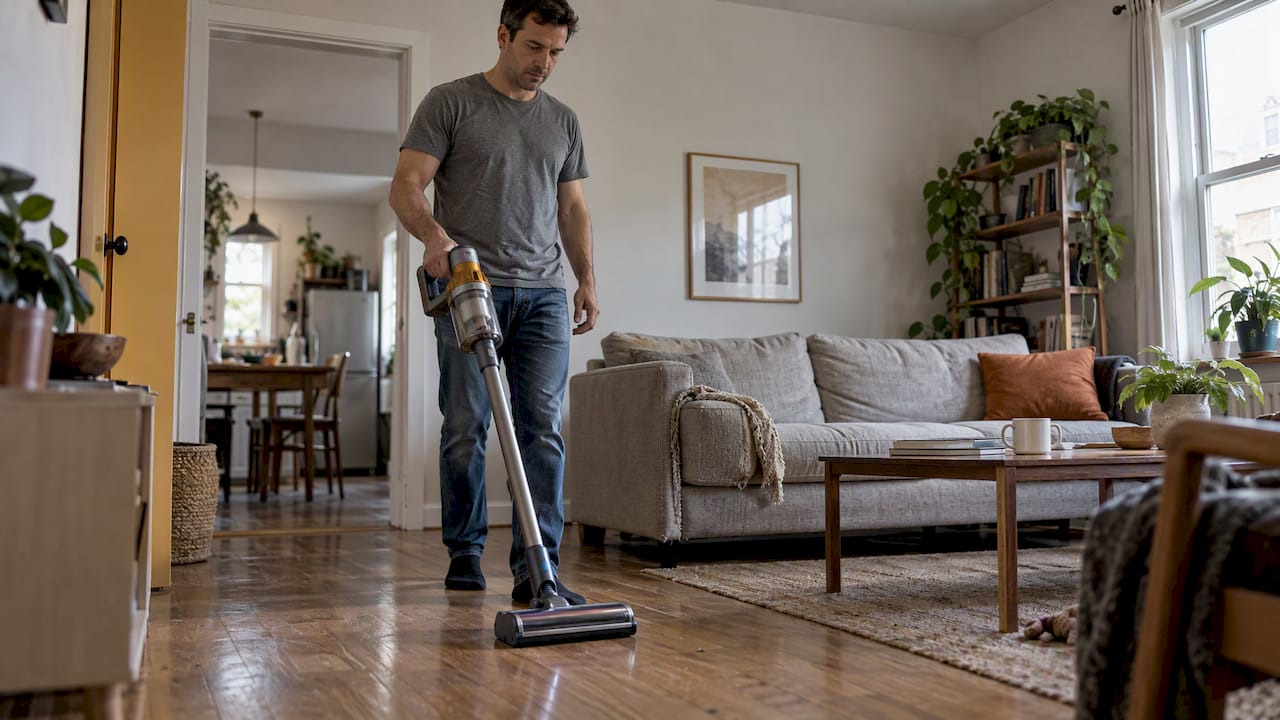
Realistically, most cordless stick vacuums give about 15 to 52 minutes per charge: expect 30 to 50 minutes in normal modes and only 6 to 10 minutes in boost or max modes. That gap matters because survey data shows more than 25% of owners report battery-related issues, making runtime the detail worth checking before you buy.
TL;DR:
- Full size models commonly need 4 to 5 hours to recharge; a removable spare avoids waiting and suits larger homes or multiple cleaning sessions.
- Dead batteries are the leading long term complaint, affecting close to one fifth of units around three years old; check warranty coverage before replacing it.
- Use standard mode for routine cleaning, reserve boost for stubborn spots, and keep filters and brushrolls clear to reduce motor load and battery drain.
- Treat maximum runtime claims as best case: independent tests found few models approached 60 minutes, so plan around verified results and stated test conditions.
Lab testing gives a clearer picture than any marketing claim. Consumer Reports runs stick vacuums until the battery dies across every speed setting, then averages the results. That method strips out the best-case numbers printed on the box and replaces them with what actually happens in a living room.
The spread between models is wide. A premium long-run model tested at 52 minutes, with a charge time of 5 hours. Other models landed at 40 minutes (4-hour charge), 37 minutes (4-hour charge), and 31 minutes (4-hour charge). That range, roughly 31 to 52 minutes on the high end, tells you two things: battery capacity varies a lot by model, and a longer runtime often comes with a longer charge time too.
A few patterns show up consistently in this kind of testing:
More than 25% of stick vacuum owners report battery-related problems, according to survey data covering a decade of ownership experiences. That figure is worth keeping in mind as you compare runtime specs, because a vacuum that runs well on day one does not always stay that way.
The practical takeaway: when you see a runtime number in a spec sheet, ask whether it came from a controlled test or from a manufacturer’s best-case claim. The two numbers are rarely the same, and the difference shapes how you plan your cleaning routine.

Power mode is the single biggest lever you control once you own the vacuum. Standard and low settings deliver the bulk of that 30 to 50 minute range, giving you enough time to clean most homes in one pass. Boost or max modes trade that endurance for stronger suction, and the cost is steep.
Engineers at TechGearLab note that boost modes can drain a battery in as little as 6 to 10 minutes. That is not just a runtime problem. Pulling that much current in a short burst generates more heat inside the pack, and heat is one of the fastest ways to wear down lithium-ion cells over time. The same burst of power that lifts embedded pet hair off carpet also puts more stress on the cells than an hour of standard-mode cleaning would.
A few numbers to keep in view when you are deciding which mode to use:
The rule of thumb that holds up across most models: save boost mode for stubborn spots, like a rug stain or a thick pile of pet hair near a doorway, and let standard mode handle everything else. Treat boost as a tool, not a default setting.
Pro Tip: Switch to standard mode the moment you clear a tough spot, since leaving boost mode running by habit is the fastest way to burn through a charge before you finish a room.
Charge time shapes how flexible your cleaning schedule can be, and it varies more than most buyers expect. Full-size stick vacuums in lab testing commonly take 4 to 5 hours to charge from empty, which means a vacuum that runs out mid-cleaning on a Saturday morning might not be ready again until the afternoon.
Removable or swappable battery packs solve that problem directly. Instead of waiting out a multi-hour charge cycle, you pop in a charged spare and keep cleaning. This matters most for larger homes, homes with pets, or anyone who cleans in multiple short sessions rather than one long pass.
When you are comparing models, a few details are worth checking before you buy:
A removable pack also tends to be easier to replace years down the line, which can extend the useful life of the vacuum itself well past the point where a sealed battery would force a full replacement.
Runtime per charge is only half the story. The other half is how that battery holds up over two, three, or more years of regular use, and the survey data here is worth taking seriously before you buy.
Battery problems affect more than 25% of stick vacuum owners, based on survey responses collected over a decade. This information is particularly useful to know about, since it suggests some battery problems show up early enough to catch under warranty.
Separately, Consumer Reports members reported dead batteries as the most common long-term complaint, with close to a fifth of units around three years old affected. That lines up with how lithium-ion packs generally behave: they are rated for a set number of charge cycles, and capacity drifts downward well before the pack fails outright.
A few practical signals to watch for as your vacuum ages:
If you notice any of these around the two to three year mark, it is worth checking your warranty terms before assuming you need a full replacement vacuum. Many battery issues are a pack problem, not a motor or unit problem, and a spare or replacement battery can solve it for far less than buying new.
Every lithium-ion battery degrades, and the pattern behind that is well understood. According to the Department of Energy’s technology assessment on lithium-ion batteries, pack performance and cycle life depend heavily on charge cycles, operating temperature, and how the battery is used day to day. Each full charge and discharge counts as a cycle, and capacity edges downward with every one.
Heat accelerates that process. A battery that runs hot, whether from a long cleaning session, high ambient temperature, or frequent high-current draws, loses capacity faster than one that stays cool and is used moderately. That is exactly why boost mode matters so much for long-term battery health, not just short-term runtime.
A short list of what drives degradation in this category of product:
Battery management systems built into modern vacuums help regulate charging speed and temperature, which slows this process. They cannot stop it. Every lithium-ion pack has a finite number of productive cycles, and the goal with good habits is stretching that number out, not eliminating the decline entirely.
Small, consistent habits make a bigger difference than most owners expect, and none of them require extra equipment or cost.
Routine upkeep matters here too. The same logic that keeps a robot vacuum running smoothly with under ten minutes of weekly maintenance applies directly to stick vacuums: a clean filter and clear brushroll mean the motor pulls less power to do the same job, which eases the load on the battery every single time you clean.
Pro Tip: Set a reminder to rinse or tap out the filter every two weeks. A dirty filter is one of the fastest ways to quietly shorten both your runtime and your battery’s lifespan.
“Up to” is the phrase to watch for on any vacuum box. It describes a best-case scenario, often measured on bare floor with no attachments and the lightest suction setting, not the way most people actually clean. CNET’s lab testing found that most cordless vacuums advertised around 60 minutes of runtime, yet only a small number of tested models actually came close to delivering it in real conditions.
Before trusting a runtime figure, run through a short checklist:
When you plan a cleaning session, work from the test-verified minutes, not the number on the box. If a model is lab-tested at 35 minutes but advertised at 60, plan your routine around the 35.
Most people do not need the longest runtime on the market. They need a runtime number they can actually trust and a charge cycle that fits how they live. A vacuum tested at 35 real minutes that charges in 4 hours is often a better fit for a busy household than one advertised at 60 minutes but tested at 38.
What matters most, in our view, is matching the battery’s real behavior to your actual cleaning pattern. If you clean in short daily bursts, a quick charge time wins. If you clean the whole home in one go, a longer measured runtime and a removable spare battery matter more than peak suction power. Chase the tested numbers, not the box.
Check the lab-tested runtime and the charge time before anything else, and lean toward a removable battery if you have a larger home to cover in one session.
— Tony
Smart Products. Zero Hassle. That is the standard we hold every product to, and it is exactly why we focus on cleaning gadgets built for simple setup and dependable day-to-day performance rather than flashy numbers that do not hold up at home.

If you are shopping for a cordless option, our VacuumPilot™ Cordless Stick Vacuum is built around that same philosophy: a battery and motor pairing designed for real cleaning sessions, not just a number on a spec sheet. A few reasons it is worth a look:
Browse our full Smart Cleaning collection to compare options, or go straight to the VacuumPilot™ product page to check specs and order. Shop Smarter, Live Better.
Most cordless stick vacuums remain usable for several years, but battery problems are the most common long-term issue, with dead batteries affecting a notable share of units around the three-year mark. A battery replacement, rather than a new vacuum, is often enough to extend usable life well beyond that point.
The best choice depends on your home size and cleaning habits rather than one universal winner. Look for a model with a lab-tested runtime in the 30 to 50 minute range in standard mode and a removable battery, since those two factors predict real-world satisfaction better than advertised maximums.
Trust lab-tested figures over “up to” marketing claims, since independent testing regularly finds real runtimes well below advertised maximums. Check for a stated test condition, a charge time, and whether the battery is removable before relying on any single number.
Leaving a lithium-ion battery charging continuously is not ideal for long-term capacity, since cycle life and performance are tied to charge habits and temperature. A better habit is charging it when needed and avoiding long stretches sitting at a full charge or completely empty.
Boost or max mode typically cuts runtime down to roughly 6 to 10 minutes, compared to 30 to 50 minutes in standard mode. It is best used for short, targeted spots rather than full-room cleaning.